Built by OptimumARC · 3D Scanning Experts

Walk Up.
Scan It.
Get Your Files.

Your own dedicated 3D scanning kiosk, deployed on-site. Walk up, scan, and receive professional files in minutes. No training required.

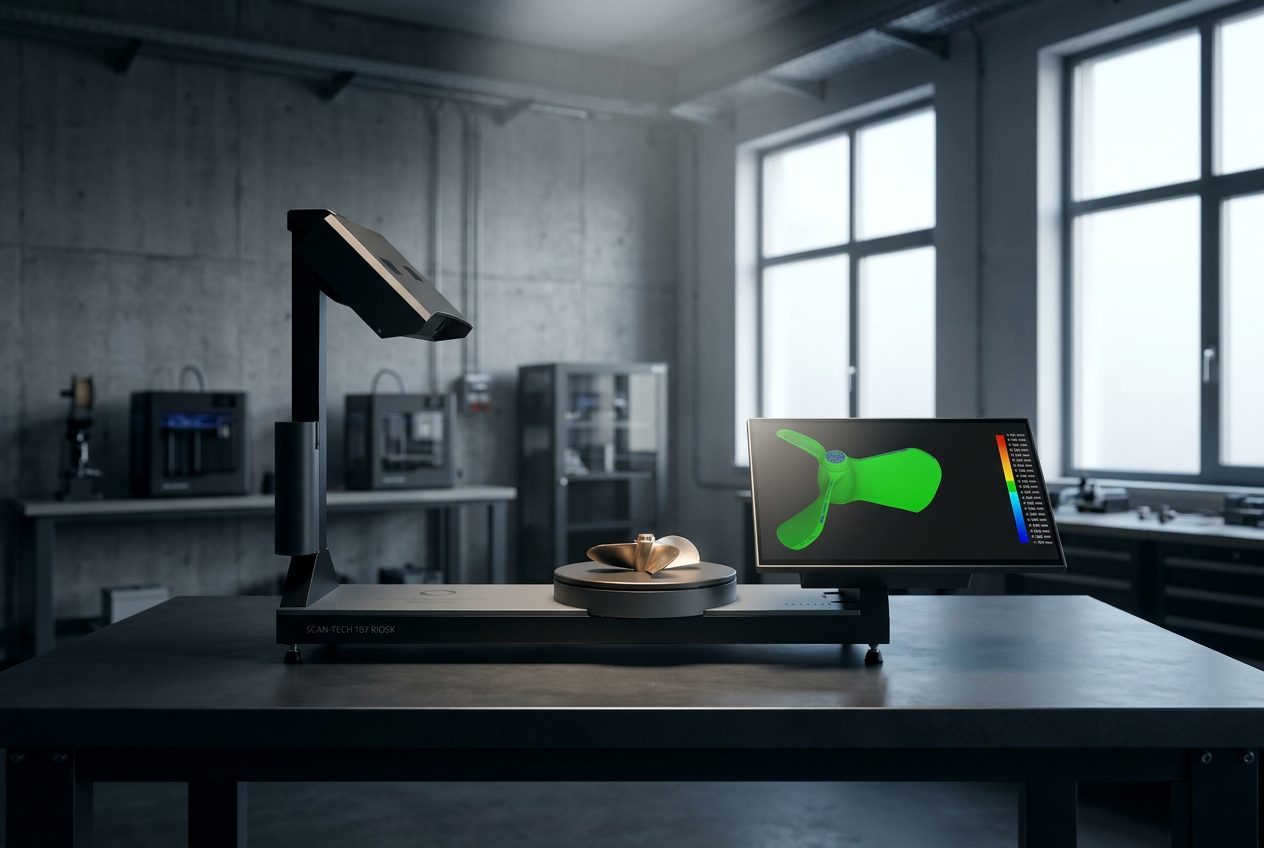
ScanHub 3D scanning kiosk in use
On-Site Deployment
·
Hardware-as-a-Service
·
No Capital Cost
·
Pilot Program Available

Trusted by leading Canadian institutions and manufacturers

Why We Built This

17 Years in the Field.
One Problem We Kept Seeing.

After 17 years of consulting across Canada, the pattern was always the same. Great equipment. Sitting idle. Teams waiting days for scan results that should take minutes.

ScanHub is our answer. Walk-up. No training. Files in minutes. Installed, calibrated, and supported by us.

Built for Your Team
No specialist required. Any team member can walk up and operate it from day one.
Maintained by Us
Hardware, calibration, and updates handled by OptimumARC. Not your IT team.
17 Years of Expertise
P.Eng-led. Geomagic authorized. The team behind Canada's leading scan workflow consultancy.
The Process

Three Steps. Done.

Walk in with your part. Walk out with your files.

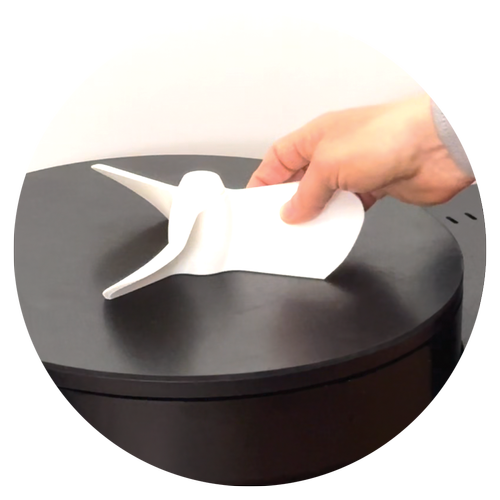
Place your object on the ScanHub turntable
1

Walk Up.

Place your part on the turntable. ScanHub handles the rest. No calibration, no training, no technical knowledge required.

Walk up and scan at the ScanHub kiosk
2

Scan It.

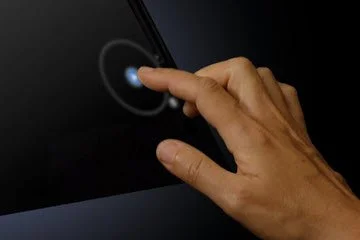
On-screen guidance walks you through every step. Place your object, follow the prompts, and the kiosk does the rest.

Get your 3D scan files instantly
3

Get Your Files.

Files delivered by email or QR code download. STL, OBJ, and other CAD-ready formats, ready to use immediately.

Get Started
See It In Action

Watch a Real Scan. Start to Finish.

Walk up. Follow the prompts. Files delivered in minutes. No training, no specialist.

The ScanHub Difference

Scan in Minutes. No Training. No Waiting.

Minutes
Time to first scan
Zero
Training required
Instant
File delivery
No IT
Department required

What our users say

"Scan time dropped to minutes instead of days. Our students are scanning parts themselves with zero training."
St. Clair College, School of Engineering Technologies, Apprenticeships & Skilled Trades
Use Cases

Who Scans with ScanHub.

ScanHub is a 3D photocopier. Walk up, scan your object, get your files. No training required.

Reverse Engineering

Scan parts for reverse engineering, documentation, and design reference. No specialist needed.

Product Designers

Scan prototypes and physical references. Bring the physical into your digital workflow without guesswork.

Students and Educators

Walk-up kiosks at partner campuses for class projects, research, and prototyping. No booking needed.

Dental and Orthotics

Scan impressions, devices, and moulds. Get digital files without sending work to an external scanning bureau.

Artists and Sculptors

Turn physical work into a digital file you can archive, 3D print, or sell. No scanner expertise needed.

Jewellers and Makers

Rings, clasps, figurines, and custom parts scanned accurately. No trip to a scanning bureau required.

Not sure if ScanHub is right for your project? Ask us →

Object Sizes

What Can ScanHub Scan?

ScanHub handles objects from 7 cm to 45 cm, the sweet spot for most parts, products, collectibles, and everyday objects.

S
7 – 15 cm

Small Objects

  • Bolts & fasteners
  • Figurines & collectibles
  • Jewellery & small items
  • Phone-sized components
M
15 – 25 cm

Medium Objects

  • Shoes & footwear
  • Brackets & fixtures
  • Product prototypes
  • Hand tools
L
25 – 35 cm

Large Objects

  • Tooling & dies
  • Helmets & headgear
  • Pump housings
  • Automotive trim pieces
XL
35 – 45 cm

Extra Large

  • Large bottles & containers
  • Small body panels
  • Artefacts & museum pieces
  • Orthotics & prosthetics

Not sure if your object qualifies? Ask us →

What's Included

Everything Your Team Needs. Nothing Extra Required.

ScanHub is deployed on a monthly Hardware-as-a-Service model. No capital purchase, no IT setup, no maintenance. Just professional 3D scanning, ready when your team needs it.

On-Demand Access

Your team scans when they need to: no booking, no waiting, no scheduling around a shared resource.

Reduce Outsourcing Costs

Stop sending parts out for scanning and waiting days for results. Get professional scan data in minutes, in-house.

Usage Controls

Monitor scan activity across your deployment. Track volume, scan types, and file formats used for full visibility into how the system is being used.

Instant File Delivery

Scan files delivered automatically after every scan. Email and QR code for cloud delivery, or USB for facilities that prefer data on-site.

Workflow Integration

Connect scan output directly into your engineering or design workflow. Files delivered in the formats your team already uses.

Fully Managed by OptimumARC

Hardware, software updates, uptime, and support are handled entirely by our team. Your IT department does not need to be involved.

Who It Is For

Built for Real Institutional & Enterprise Environments

From plant floors to production studios, ScanHub runs reliably wherever your team needs it.

Manufacturing & Tool and Die

  • Scan worn tooling and components: no drawings required
  • Eliminate outsourcing delays with in-house scanning
  • Reverse engineering for obsolete parts and fixtures

Automotive

  • Scan parts, hinges, brackets, and trim components for reverse engineering
  • Supports restoration, aftermarket parts, and custom fabrication
  • Faster design cycles for modifications and tooling updates

Healthcare & Medical

  • Scan patients for custom prosthetics, orthotics, and bracing
  • Add digital scan data to support casting and custom fitting
  • Client owns all scan data, compatible with institutional data governance

Engineering & R&D Teams

  • Dedicated access for engineering and R&D teams
  • Faster design cycles and reduced outsourcing costs
  • Integrates directly into existing engineering workflows

Media & Entertainment

  • Digitize props, costumes, and character maquettes for VFX pipelines
  • Compatible with Maya, ZBrush, Blender, and Unreal Engine
  • Self-serve access fits active production and post-production schedules

Archaeology & Museums

  • Preserve fragile artifacts without physical handling risks
  • Create accurate digital records for research and publication
  • Enable reproduction, exhibition, and educational use

Ready to bring ScanHub to your facility?

Book a demo or reach out to discuss deployment options. No commitment required.

Get Started
Easy Implementation

Up and Running Fast.

We handle delivery, setup, and everything after. Your team does nothing except start scanning.

1

We Deliver & Set Up

Calibrated and ready to run on arrival. No technical setup required on your end. Desk footprint: approx. 107 × 28 × 75 cm.

2

Your Team Starts Scanning

On-screen guidance walks users through every scan. No training needed. Files delivered instantly by email or QR code.

3

We Handle Everything After

Ongoing support, software updates, and maintenance handled entirely by OptimumARC. No IT team needed.

Get Started

See a Live Scan.
No Commitment.

Book a virtual demo, or bring your parts to our Toronto office and see it in person. If it makes sense, we put a proposal together. No pressure, no obligation.

Book a Live Demo
FAQ

You Asked. We Answered.

A pilot typically runs 30 to 60 days. We deploy a ScanHub kiosk at your facility, configure it for your team, and support you through the full pilot period. At the end, you have real usage data to evaluate the ROI before committing to a full deployment.
You pay a monthly fee rather than purchasing the hardware outright. The kiosk is owned and maintained by OptimumARC. If something breaks, we fix it. No capital expenditure, no depreciation, no maintenance burden on your team.
ScanHub is built for facilities and teams that scan regularly. Dedicated on-site kiosks are ideal for manufacturing plants, R&D labs, automotive facilities, colleges, and quality control environments. Walk-up partner locations are also available to the public: designers, artists, makers, dental labs, orthotics clinics, collectors, students, and hobbyists.
Based on your location, deployment can take between one to three weeks. We handle shipping, installation, and initial calibration. Your team can be scanning on day one with no prior training required.
All deployments include ongoing support from the OptimumARC team. Hardware issues, software updates, and calibration are handled by us. You get a dedicated point of contact for the duration of your agreement.
ScanHub handles objects from 7 cm to 45 cm. That covers most parts, products, collectibles, jewellery, figurines, shoes, prototypes, and small assemblies. Files are delivered in STL and OBJ formats as standard. STEP and additional formats are available depending on your configuration and scan tier.
Scanning bureaus charge per part and require shipping and turnaround time, often two to five business days. A dedicated ScanHub kiosk at your facility delivers files in minutes, available whenever your team needs it. For teams scanning more than a few parts per week, the math shifts quickly. We can build you a simple ROI model based on your current scanning frequency and costs.
The ScanHub kiosk has a compact footprint, roughly the size of a small workstation. It requires a standard 120V electrical outlet and a stable internet connection for file delivery. No special infrastructure is needed. We handle the installation and confirm site requirements during the scoping call.
Yes. ScanHub is designed for shared use. Multiple users can scan independently, with files delivered immediately after each scan. Delivery options include email and USB, depending on your facility's requirements. For high-volume environments, we can discuss multi-unit deployments.
Files are delivered in STL and OBJ formats as standard, compatible with SolidWorks, Fusion 360, CATIA, and most engineering platforms. No special software is needed to receive or open the files. STEP and additional formats are available depending on your configuration.
At the end of the pilot, you receive a usage report with scan volume, team adoption data, and a clear picture of the ROI. You then decide whether to continue with a full deployment agreement. There is no automatic rollover and no pressure to commit. If it is not the right fit, we remove the kiosk. No penalty.
ScanHub offers three scan resolutions: HD (standard, ideal for most objects and everyday workflows), XHD (higher point density for more detailed surfaces), and UHD (maximum resolution for complex geometry and fine features). Resolution is selected based on your object type and the level of detail required. All three resolutions are included at no additional cost. The main trade-off at higher resolutions is larger file sizes.

Still have questions?

Book a call or bring your parts to our Toronto office. We will walk you through everything in person.

Book a Demo